

Robot Model Origins: Object Origin and Transform Pivot
2026-11-05
Robot Model Origins: Object Origin and Transform Pivot
Robot Model Origins and transform pivots can occupy different positions in a lesson screenshot. The object origin belongs to the object reference, while a median-point pivot depends on what is selected and which editing mode is in use. This article reads Blender 4.4 documentation for a hypothetical robot illustration lesson. It edits no model, applies no transformation, calculates no center, and makes no claim about a physical robot's geometry or mass.
Identify the object's origin as its own reference
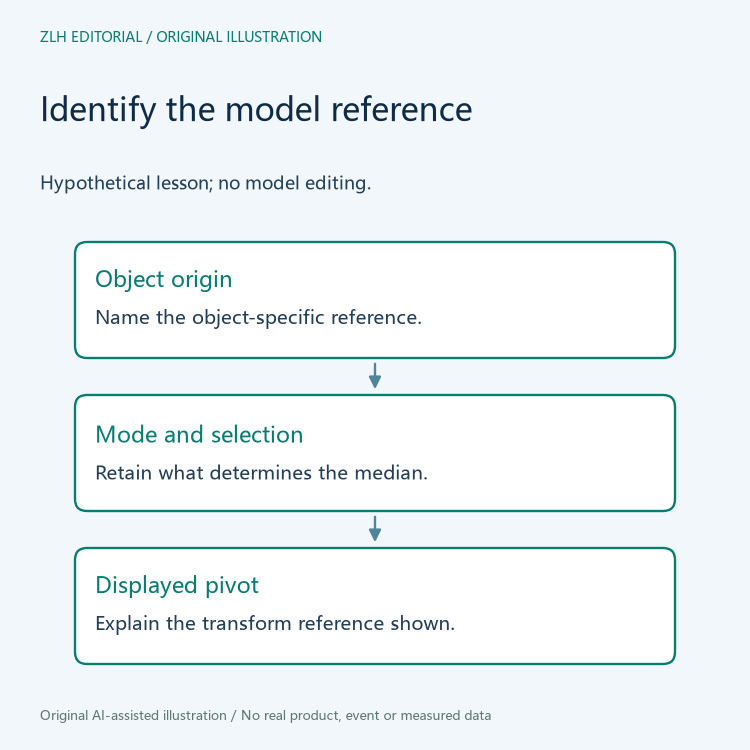
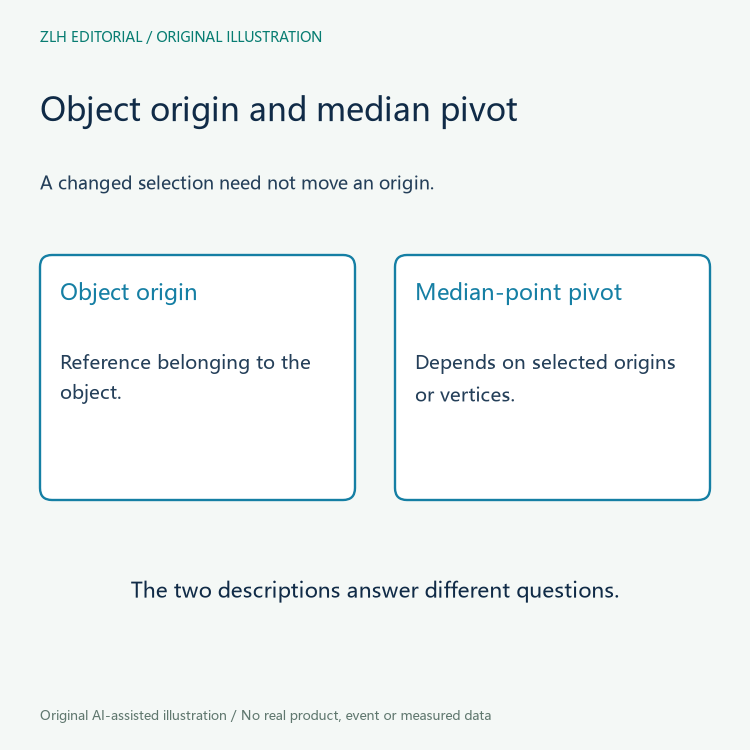
The official Object Origin reference says that each object has an origin point whose location determines where that object is located in three-dimensional space. It explains that this point matters for translating, rotating, and scaling. The page also distinguishes moving geometry relative to the origin from moving the origin relative to geometry.
In a fictional lesson, a small visible marker might be identified as an object origin. Preserve which object it belongs to instead of treating every visible center as the same reference. The origin need not be inferred from the middle of the silhouette. A screenshot can illustrate the author's explanation, but it does not reveal every relevant object property or prove a model was authored correctly.
Median-point pivot meaning depends on editing mode
The official Median Point reference explains that Object Mode uses the averaged position of the selected objects' origins. Shape and size are not taken into account. Origins can even lie outside their objects' geometry. A pivot that looks off-center is therefore not enough, by itself, to establish an error.
In Edit Mode, the same page instead describes the average position of selected vertices. It explains how denser geometry can pull the pivot toward one side even when illustrated objects have the same size. A lesson should retain the selected elements and mode when explaining that pivot. Otherwise, a learner may compare two screenshots that answer different selection-dependent questions.
Do not read a pivot choice as an origin edit
A pivot selection concerns the reference used for a transformation. The origin page separately describes operations that relocate origins or geometry. A hypothetical caption that says “the origin moved” therefore needs evidence of an origin change, rather than only a different median-point display caused by a changed selection. Keep the action described in the caption tied to the actual supplied material.
For a robot illustration lesson, a review table can name the object, origin explanation, mode, selection, and stated pivot choice. It can then identify which screenshot supports each statement. This approach does not require the reviewer to alter the model. If the attachment omits selection context, record that omission rather than estimating a pivot from a two-dimensional image.
Keep model references separate from physical centers
The origin page includes a center-of-mass option with an explicit uniform-density assumption. That documentation should not turn an arbitrary object origin or median-point pivot into evidence of a physical part's actual mass center. This article uses neither option to calculate inertia or assess a real component. Its subject is the distinction between the references displayed in a learning model.
The origin marker's color also has a documented interface context. The manual describes default-theme colors for selection and linked states while noting that colors are themeable. A screenshot with an unfamiliar color should not be diagnosed solely by a memorized color list. Retain the actual interface context and ask the contributor to identify the marker if its meaning is unclear.
When a lesson is revised, specify whether its change concerns the origin, selected elements, pivot setting, or explanatory caption. These revisions can produce different documentary outcomes. A clearer caption may resolve an ambiguity without changing the scene. Conversely, a changed scene needs its own version identity rather than being silently treated as the original screenshot's configuration.
A useful learner question is “which reference is this marker showing, and what determines it here?” That is more precise than assuming every center-looking marker names the geometric middle. It also helps an instructor explain why selecting an additional object changes an aggregate pivot without necessarily moving either object's origin. No such selection or transformation is performed in this article. The lesson reviewer can request the selection explanation as a document annotation rather than guessing it from marker placement alone.
The original figures show a reading sequence and compare reference roles without drawing an invented robot or a measured center. Continue through the robot model learning section and related resources section. Naming the origin and transform pivot separately gives the learner a clear documentation question while leaving model correctness and physical properties to evidence that actually addresses them.


