

Robot Simulation Practice: List URDF Joint Connections
2026-11-03
Robot Simulation Practice: List URDF Joint Connections
Before comparing two robot simulation models, it helps to know which links each joint connects. A visible robot shape cannot provide that inventory reliably: a mesh may look continuous while the model file expresses several separate connections. This exercise produces a readable connection sheet from an identified URDF file. It concerns inspection of model structure, without loading the file into a simulator, executing a controller or moving a robot.
Select the actual model file for the exercise
Ask the model owner for an authorized teaching file and its applicable documentation. Record the file identity and whether it is a plain URDF document or an input that requires generation. A macro source is not automatically the final document used by a simulator. If the delivery uses generation, obtain the relevant generated document and its configuration record rather than treating unexpanded text as the executed model.
Keep the supplied copy unchanged. For this exercise, use a trusted, plain XML teaching document with the expected robot root and direct joint elements. Files with extensions, unfamiliar namespaces or another model format require their own interpretation. Do not make the inspection script silently remove those differences, because that could turn an unsupported file into a misleadingly complete-looking inventory.
Read the connection fields before building a summary
The official urdfdom repository schema describes a joint with a name and type, plus parent and child link references. The file identifies itself as a proposed schema for URDF version one, with stated extension limits. It is useful here for locating those fields, not as a guarantee that it fully describes every current simulation delivery.
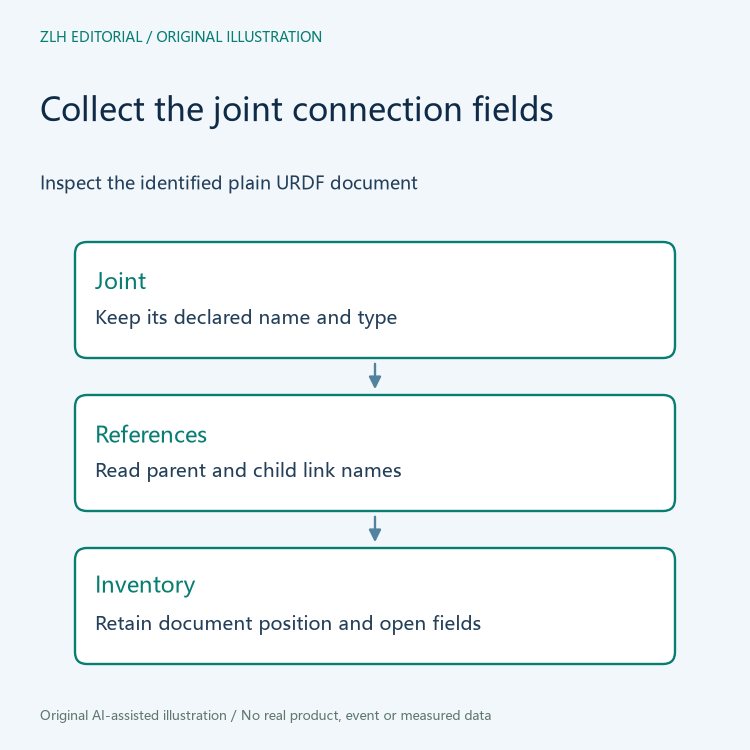
Create separate columns for joint name, declared type, parent link and child link. Copy the actual field values rather than deriving them from a file name or mesh label. A fixed joint still belongs in the connection inventory; excluding it solely because it is not an actuated degree of freedom would change the structural question. Leave numerical motion limits and control claims for a separate review.
Use XML inspection to collect rather than rewrite
The Python ElementTree documentation explains parsing an XML tree, finding elements and reading their attributes. An editor can use those operations to inspect direct joint elements, retrieve their name and type attributes, and inspect the parent and child elements' link attributes. Choose a parser workflow appropriate to the trusted teaching material; the documentation separately directs readers handling untrusted XML to its security discussion.
For each joint encountered, record its document position along with the four fields. If a parent element is absent, preserve that observation as an unresolved field rather than inventing a link name. If an attribute is empty, distinguish the empty value from an element the inspection could not locate. Do not save a modified XML document as an incidental part of collecting the sheet.
Review the inventory against the original file before distributing it. A script that selects no elements may have encountered a different structure, not a robot without joints. Record the selection assumptions and ask for clarification when the document does not match them. The procedure supplies no fabricated inventory rows or simulated execution result.
Trace names back to the declared link collection
Build a separate list of the link names actually declared in the document. Compare each collected parent and child reference with that list, retaining duplicates and unmatched references for review. This is a consistency inspection of names within the chosen representation. It does not establish that the model is physically accurate, that every simulator accepts it or that a controller can use it.
If the model is expected to form a particular connection tree, give that expectation to the responsible model author. An inventory can support a later graph review, but merely listing edges does not perform all graph checks. Avoid describing a model as valid after examining only the existence of link names. State which observations were collected and which structural questions still need an appropriate validator or author explanation.

Keep the inventory useful when the model changes
For a revised delivery, preserve the earlier sheet and compare connection rows by their documented identifiers. A renamed joint and a changed parent reference deserve different notes. Ask the author to explain the intended change rather than interpreting every text difference as a new physical mechanism. Keep the model identity beside the sheet so that an old inventory does not drift into a review of a newer file.
The original diagrams show collection and interpretation stages without depicting a real robot. Related discussion appears in the robot simulation collection and article directory. A small, accurate connection inventory creates a concrete basis for discussing model structure while leaving dynamics, controls and actual simulator behavior to their own evidence.


